
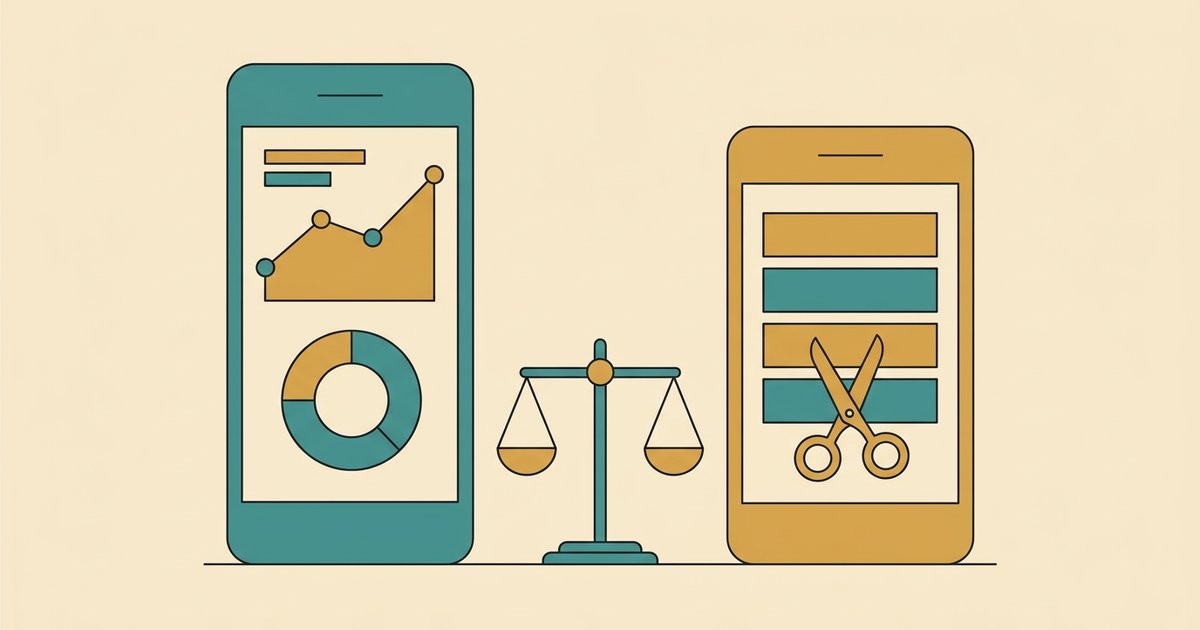
Copilot Money and Rocket Money solve two different problems, so the right answer depends on which one you actually have. Copilot Money is a $109/year spending tracker for people who want their transactions organised beautifully — it runs on iPhone, iPad, Mac and the web, and it has no free tier. Rocket Money is free to start and exists mainly to find and cancel subscriptions you forgot about, with an optional Premium membership where you choose your own monthly price. If your problem is "I don't know where my money goes," Copilot is the better tool. If your problem is "I'm paying for things I don't use," Rocket Money is.
That's the honest version, and it's worth saying up front because most comparisons of these two apps are trying to pick a winner that doesn't exist. Below is what each one actually costs as of September 2026, checked against the companies' own pages rather than other people's review posts — because several things page one of Google still says about both apps are out of date.
Want to see where your own money actually goes? Try Spendalyst free for 14 days →
Copilot Money vs Rocket Money at a glance
| Copilot Money | Rocket Money | |
|---|---|---|
| Free tier | None — free trial only | Yes — tracking, budgeting, bill reminders |
| Paid price | $109/year ($9.08/mo billed yearly). A monthly option exists at a higher rate. | Premium: you choose your own price on a sliding scale. Premium+: $15.00/mo plus tax. |
| Trial | Free trial; you can explore before connecting an account | 7-day free trial for new Premium members |
| Runs on | iPhone, iPad, Mac and the web — no Android | iPhone, Android and the web |
| Built around | Transaction tracking, budgets, investments, net worth | Finding and cancelling subscriptions, lowering bills |
| Bill negotiation | No | Yes — 35–60% of first year's savings, or included with Premium+ |
| Best for | Apple or web users who want one clear picture of everything | Anyone who suspects they're paying for things they don't use |
How much does Copilot Money cost per year?
Copilot Money costs $109 per year, which works out to about $9.08 a month billed yearly. There is no free plan — the only way in is a free trial, though Copilot does let you look around the app before you connect a single account, which is unusually generous.
Copilot's App Store listing shows the monthly plan at $18 a month. The annual number is the one Copilot publishes by default, and it's the one nearly everyone pays.
One correction worth making, because almost every comparison on page one of Google still gets it wrong: Copilot is no longer Apple-only. Its own site now lists availability as iPhone, iPad, Mac and web. If you've been skipping Copilot because you read it doesn't work on your setup, that was true once and isn't now. There's still no Android version, so anyone searching "does Copilot Money work on Android" is genuinely excluded.
For a longer look at what the app is like day to day, our Copilot Money review goes deeper, and Copilot vs Monarch covers the comparison people make most often after this one.
Is Rocket Money actually worth using?
Rocket Money is worth using if you have subscriptions you've lost track of — that's the job it does better than almost anything else, and the free tier does enough of it to be useful without paying. The free plan covers subscription tracking, budgeting and bill reminders. You only need Premium for the part where Rocket Money cancels things on your behalf.
Rocket Money's pricing is the most misreported thing in this comparison. Search for the Rocket Money Premium price and you'll see "$6–$12 a month" and "$7–$14 a month" quoted confidently all over the results, including in Google's own AI summary. Rocket Money publishes no price range at all. Its help centre says you choose what to pay on a sliding scale, that prices "can vary at times and across platforms," and that the app shows you a button reading Choose Your Own Price. Rocket Money does acknowledge a range exists — its own help pages say you "can choose your own price within the available range" — but it never publishes what that range is. New members get a 7-day free trial, and after it ends you continue at whatever amount you picked. Anyone quoting you a firm range is guessing.
There is now a fixed price in Rocket Money's lineup, though, and it's new enough that no page-one result mentions it: Premium+ costs $15.00 per month plus tax. It bundles everything in Premium with Rowan (Rocket Money's AI assistant), bill negotiation with no success fee, and access to apply for their high-yield savings account.
Speaking of which — if you use the standard bill negotiation service, the fee is 35–60% of your first year's savings, paid once, and you choose the percentage within that range. You only pay if it works. Whether that's a good deal depends entirely on how much you'd have saved by calling your provider yourself. Our is Rocket Money worth it post works through that maths, and is Rocket Money safe covers the bank-connection question separately.
Is the Copilot Money app worth it?
Copilot is worth $109 a year if you'll actually open it, and a waste of $109 if you won't. That sounds glib, but it's the real dividing line. Copilot is a tracking and categorisation tool — it says its system learns your spending patterns and tags transactions for you, it handles budgets that roll over month to month, and it pulls investments, crypto and even property values into one net-worth view.
All of that is genuinely well built. The catch is that it assumes you're the kind of person who wants to look. Copilot gives you an excellent dashboard; it doesn't chase you. If your relationship with money is that you avoid checking, a better dashboard doesn't fix that — you'll just be avoiding a nicer one. If the security side is what is holding you back rather than the habit side, we went through it separately in Is Copilot Money Safe? An Honest 2026 Security Review.
Is there anything better than Rocket Money?
Better depends on the problem. For cancelling subscriptions specifically, Rocket Money is hard to beat, and the free tier means there's little reason not to run it once. If what you actually want is a free way to audit what you're paying for, our guide to finding hidden subscriptions walks through doing it manually — no app required.
Where both of these apps leave a gap is the middle ground. Copilot shows you everything and waits. Rocket Money cancels things and goes quiet. Neither one tells you what to do next week.
That gap is why Spendalyst exists, and it's worth being straightforward about who it's for. Spendalyst is built for people who tried a budgeting app, found it demanding, and quit. On eligible Mondays, when enough data is available, it can send a Monday card with specific dollar figures from your actual week — not a score, not a dashboard to go interpret, just what changed and what's worth doing about it. It connects through Plaid to Chase, Wells Fargo and 12,000+ other financial institutions, or you can skip the bank connection entirely and enter things manually. The Spending page shows spending by category for up to the last six months, and you can export to CSV whenever you want out.
It's $10.99 a month with a 14-day free trial and no credit card required, and it runs in your browser — installable to your home screen, but there's nothing to download from an app store. If you want the full argument for that approach, a budgeting app that does it for you lays it out.
Honestly: if you love a good dashboard and own a Mac, Copilot will make you happier than Spendalyst will. If your only problem is four streaming services, use Rocket Money's free tier and keep your money. Spendalyst is for the third case — where you know roughly what's wrong and you just want someone to tell you what to do about it on a regular basis.
Which should you pick?
Pick Copilot Money if you're on Apple devices or the web, you'll genuinely open the app, and $109 a year for a clear picture of your whole financial life sounds fair. Pick Rocket Money if you suspect you're leaking money to forgotten subscriptions — start on the free tier, and only pay if the cancellation feature earns it. Pick neither if you've already tried this category twice and quit twice; the problem isn't the app, it's that nothing was following up with you.