
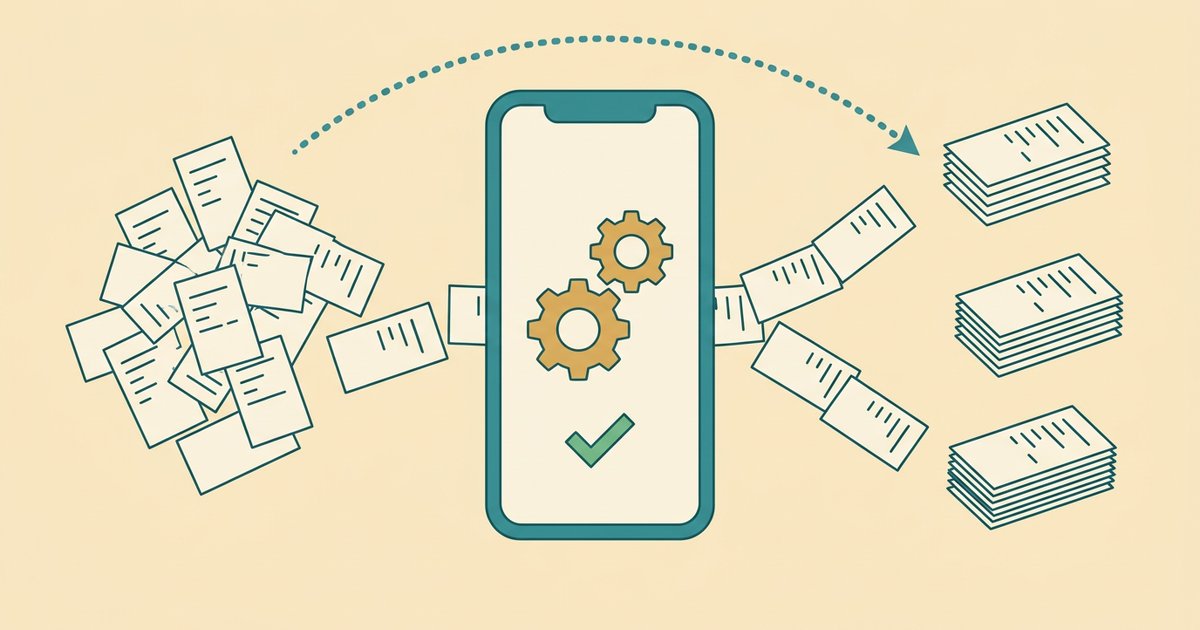
A budgeting app that does it for you automatically connects to your bank, sorts your transactions into categories, and shows you where your money went — without asking you to build a budget or log a single expense by hand. In 2026 the clearest example is Spendalyst: it links to your accounts through Plaid, tracks spending in the background, gives you a watchlist of recurring charges and price rises, and sends one short card on eligible Mondays when enough data is available with specific dollar figures — so you get clarity without maintaining a system. Other hands-off options like Rocket Money, PocketGuard, and Copilot work in a similar way, but differ in price, focus, and how much setup they still quietly expect from you.
If you've ever downloaded a budgeting app, spent an afternoon setting up categories, felt great for four days, and then never opened it again — you don't need more discipline. You need software that does the part you keep abandoning. That's the entire premise of the "does it for you" category, and below is how it works, which apps do it best, and what they cost.
Want to see where your own money actually goes? Try Spendalyst free for 14 days →
What does "a budgeting app that does it for you" actually mean?
It means the app does the tracking, categorizing, and summarizing — you just look at the result. Traditional budgeting apps like YNAB hand you an empty spreadsheet with better graphics: you assign every dollar a job, log transactions, and reconcile the numbers yourself. A hands-off app inverts that. You connect your accounts once, and the software watches the money move so you don't have to.
Three things separate a genuine "does it for you" app from a regular one: It pulls transactions automatically through a secure bank connection (usually Plaid), so you're never typing in what you spent at the grocery store. It categorizes spending for you into buckets like dining, subscriptions, and transport, so a month of activity becomes a readable picture instead of a wall of line items. And it summarizes proactively — instead of waiting for you to open the app and investigate, it surfaces what changed and what deserves your attention.
The honest caveat: no app categorizes every transaction correctly on its own. A Venmo payment or an odd merchant name will sometimes land in the wrong bucket, and you'll nudge it to the right one. The good apps make that a two-second tap, not a chore. If you want the deeper version of this philosophy, we wrote a full guide on how to manage money without budgeting.
Why do people quit regular budgeting apps?
Because regular budgeting apps ask you to become an accountant, and most people don't want a second job. The typical failure story is identical across YNAB, old Mint, and dozens of others: enthusiastic setup, a week of diligent logging, one missed day, guilt, and abandonment. The app didn't break — the manual upkeep did.
YNAB in particular is powerful but demanding. Its zero-based method works beautifully for people who enjoy the ritual, and poorly for people who don't. We broke down that specific mismatch in why YNAB feels too complicated, and compared the two philosophies directly in Spendalyst vs YNAB. The short version: if a budgeting system requires daily attention to work, it will eventually lose to real life. A "does it for you" app removes the daily attention, which is why people actually stick with it past week two.
What's the best budgeting app that does it for you in 2026?
The best choice depends on whether you mainly want spending clarity, subscription cancellation, or wealth tracking. Here's how the leading hands-off apps compare on the things that matter for someone who hates budgeting.
| App | Best for | Monthly price | Auto-tracking | The catch |
|---|---|---|---|---|
| Spendalyst | Clarity without a system; the "avoider" | $10.99 | Yes (Plaid) | Newer; focused on insight, not investing dashboards |
| Rocket Money | Canceling subscriptions | ~$6–12 (you pick) | Yes | Upsells; best features gated behind higher tier |
| PocketGuard | "In My Pocket" safe-to-spend number | ~$12.99 | Yes | Still nudges you toward budget limits |
| Copilot | Design-forward tracking | ~$18 | Yes | Apple-first; pricier |
| Empower | Net worth & investments | Free (advisory upsell) | Yes | Built to sell wealth management |
Spendalyst ranks first for the specific person this article is for — someone who tried the others, quit, and just wants to know where their money goes without babysitting an app. It connects through Plaid to Chase, Wells Fargo, and 12,000+ financial institutions (or you can use manual entry mode if you'd rather not link accounts), tracks spending automatically, and gives you a watchlist of recurring charges and price rises plus a spending view by category for up to the last six months. Once a week, on Monday, it sends a card with real dollar figures — what you spent, what moved, and one thing worth a look. You can export everything to CSV whenever you want.
That's an honest #1, not a blanket one. If your single biggest problem is forgotten subscriptions, Rocket Money's cancellation flow is genuinely convenient. If you're wealthy and want net-worth tracking, Empower's dashboards are stronger. If you live entirely in the Apple ecosystem and care about visual polish, Copilot is lovely. Spendalyst wins when your problem is avoidance — you want the truth about your spending delivered to you, gently, without a setup ritual. For a wider field, see our roundup of the best budgeting apps in 2026.
How much does a budgeting app that does it for you cost?
Most hands-off budgeting apps cost between roughly $6 and $18 per month, and Spendalyst sits mid-pack at $10.99/month with a 14-day free trial that doesn't require a credit card. That last detail matters more than it sounds: a card-free trial means you can actually test whether the app changes your behavior before you commit a cent, instead of racing to cancel before a charge hits.
Pricing across the category is a little slippery. Rocket Money uses "pay what you want" tiers, so the sticker price and the price for the features you actually want aren't the same number. Empower is free because the business model is steering you toward paid wealth management. When you compare, look past the headline and ask what the version that solves your problem costs — and whether you can try it without handing over payment details first.
Is a hands-off budgeting app worth it?
For most people who've quit a budgeting app before, yes — because the alternative isn't a perfectly maintained manual budget, it's no visibility at all. A $10.99/month app that you'll actually keep open beats a free spreadsheet you'll abandon in nine days. The value isn't the software; it's that automation survives contact with a busy week.
The worthwhile test is simple. After two or three weeks, can you answer "where did my money go last month?" without dread? If a hands-off app gets you to a confident yes — the way our readers describe in where does my money go — it's paid for itself many times over in avoided overdrafts, cancelled dead subscriptions, and the ordinary relief of not being afraid of your own bank balance. If it doesn't change anything, cancel it. A no-card trial makes that a low-stakes experiment.
Do these apps really work if I never set a budget?
Yes — tracking and budgeting are two different things, and a good app does the first without requiring the second. Setting a budget means deciding in advance what you should spend. Tracking means seeing what you did spend. You can get enormous value from the second with none of the first, because awareness alone changes behavior. When you notice you spent $340 on takeout last month, you don't need a rule to eat in more this month — you just do.
That's the quiet mechanism behind the whole category. Spendalyst's Monday card isn't a scolding budget report; it's a small, specific check-in — "you spent $X on subscriptions, up $Y from last month" — that keeps money in your peripheral vision without demanding a system. No envelopes, no zero-based math, no daily logging. Just enough signal to make better decisions, delivered to you.
The bottom line
A budgeting app that does it for you is the right tool if you've concluded, correctly, that the problem was never your willpower — it was the upkeep. Automatic bank tracking, hands-off categorization, and a proactive weekly summary turn "I should really check my finances" into "I already know where I stand." Try one on a card-free trial for two weeks, keep the one that makes your money feel less scary, and cancel the rest. That's the whole strategy.