
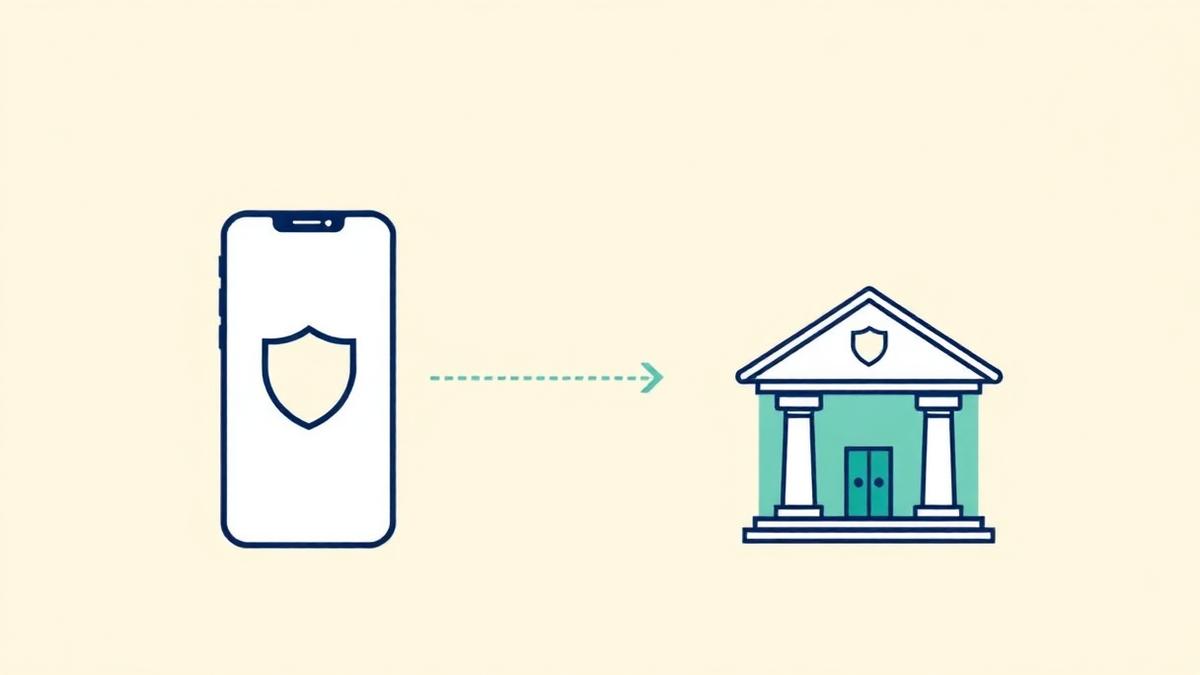
Yes — linking your bank account to a reputable budgeting app is safe, because the app never actually touches your bank. It connects through a data aggregator such as Plaid, MX, or Finicity, and that connection is read-only: it can see your transactions and balances, but it cannot move a single dollar out of your account. At most major banks you never hand the app your password at all — you log in on your bank's own page and your bank issues a scoped token instead. For a worked example of what that looks like at a specific app, see our breakdown of is Monarch Money safe. If you are weighing an app that also holds investments and cash, Is Origin Financial Safe? Yes — With 3 Caveats walks through what changes when the app is also a custodian.
That's the honest answer, and it's the one almost nobody gives you plainly. The real risk of connecting a budgeting app isn't theft. It's privacy — how much data gets collected, how long it's kept, and who else sees it. Those are worth caring about, and they're checkable in about two minutes. Here's how the whole thing actually works.
Want to see where your own money actually goes? Try Spendalyst free for 14 days →
How does a budgeting app actually connect to your bank?
A budgeting app almost never connects to your bank directly — it uses a middleman called a data aggregator. Plaid is the best known; MX, Finicity (owned by Mastercard), and Akoya do the same job. When you tap "Connect your bank," the app hands you off to the aggregator, the aggregator talks to your bank, and your transaction history flows back to the app.
There are two ways that handoff happens, and the difference matters more than anything else in this article:
| Connection method | What you type, and where | Does the app ever see your password? | Risk level |
|---|---|---|---|
| OAuth / tokenized (Chase, Wells Fargo, Capital One, most large banks) | You log in on your bank's own page, then approve the connection | No — the bank issues a token instead | Lowest |
| Credential-based (smaller banks and credit unions without OAuth) | You type your bank username and password into the aggregator's screen | The aggregator does, to establish the link | Moderate |
| Direct credential sharing (an app asking for your bank login on its own screen, no aggregator) | You type your login into the app itself | Yes | Avoid |
The first two are normal and are what mainstream apps use. The third is the one to walk away from. If an app asks for your online banking username and password on a screen that isn't your bank's and isn't a recognizable aggregator, close it. Sharing credentials that way often violates your bank's terms of service, and that can complicate a fraud claim later.
Is Plaid safe?
Plaid is safe in the specific sense that matters: the access it holds is read-only and scoped, so an app connected through Plaid can read your transactions but cannot initiate a transfer or a payment. Plaid sits between roughly 12,000 US financial institutions and thousands of apps, including YNAB, Rocket Money, Monarch, and Spendalyst. When your bank supports OAuth, Plaid redirects you to your bank's real login page and never sees your credentials; your bank issues a token that can be revoked from your bank's app at any time. For a free investment-focused dashboard rather than a budgeting app, Is Empower Safe? An Honest 2026 Security Check applies the same checklist to Empower.
What Plaid is not is a privacy vacuum. It receives the data you authorize — typically account balances, account and routing details, and transaction history — and it passes that to the app you chose. The scope is set at connection time, which is why it's worth actually reading the permission screen instead of tapping through it. If an app asks for permissions unrelated to what it does, that's your signal to stop.
Can a budgeting app take money out of your account?
No. A standard budgeting app's connection is read-only and structurally cannot move money — moving money requires a completely different set of permissions (ACH origination), and a budgeting app doesn't have them. This is the fear that keeps most people from ever connecting, and it's the one fear the technology genuinely rules out.
Worth separating from that: some money apps do move money on purpose — cash-advance apps, round-up savings apps, and subscription-cancellation services that charge you a fee. Those are a different product category with different permissions. A tool whose only job is showing you where your money went has no reason to ask for anything beyond read access, and if one does, that's a question worth asking before you sign up.
So what's the real risk?
The real risk is privacy and data retention, not theft. Your transaction history is an unusually revealing document — it shows where you eat, which pharmacy you use, who you pay rent to, whether you gamble, and what you've stopped being able to afford. Once you connect, that history lives in at least two places: the app, and the aggregator.
A worked example of why that matters: in Is Honeydue Safe? An Honest 2026 Security Review we found the app's security page and its support centre saying opposite things about whether your bank password is stored at all.
Four things worth checking before you connect anything:
One regulatory note, because it's often cited as settled and isn't: the CFPB's Section 1033 "open banking" rule was finalized in October 2024 and would have given consumers a clearer legal right to their own financial data, but it never took effect as written. A federal court enjoined the CFPB from enforcing it before the first compliance date of April 1, 2026, and the CFPB reopened the rule for reconsideration — it sent a revised "Personal Financial Data Rights Reconsideration" proposal to the White House for review on August 4, 2026, and as of late August 2026 that proposal is still pending and its text isn't public. So the honest position is uncertain: there is a finalized rule on paper, it is not currently being enforced, and nobody yet knows what the replacement will require. Your protection today comes from the app's own practices and your bank's revocation tools, not from that rule.
Are budgeting apps safe if you'd rather not link a bank at all?
Yes — and if connecting is a genuine dealbreaker for you, use manual entry instead of forcing yourself through a decision you're uneasy about. Most serious budgeting apps, Spendalyst included, support adding transactions by hand, so a budgeting app without linking a bank account is a real option rather than a compromise. You lose the automatic part, which is a real cost if the reason you quit your last app was the effort of maintaining it. But the choice exists, and "I don't want to connect my bank" is a legitimate reason to use a tool differently rather than not use one at all.
There's a middle path a lot of people miss: connect one account, not all of them. Link the checking account or the card where most of your spending actually happens, leave savings and investments out of it, and you get most of the clarity with a fraction of the exposure. If avoiding your accounts has become its own habit, the gentler on-ramp described in scared to check my bank account is a better starting point than a full financial audit.
How Spendalyst handles the connection
Spendalyst connects through Plaid, which covers Chase, Wells Fargo, and more than 12,000 US banks and credit unions. The connection is read-only. If you'd rather not link anything, manual entry mode works without any bank connection at all.
What you get from the connection is deliberately low-effort, because Spendalyst is built for people who have already quit one budgeting app: spending reports with a 6-month trend, and a coach card that arrives on eligible Mondays when enough data is available with specific dollar figures from your own week — not a budget you have to build and maintain. You can export everything to CSV whenever you want, which also means leaving is easy. The trial is 14 days with no credit card; paid plans start at $10.99/month if you choose one.
If you're comparing options before you connect anything, the best budgeting apps of 2026 roundup covers how each one handles bank linking, and the Spendalyst vs Rocket Money comparison is worth reading specifically because Rocket Money's model involves acting on your accounts, not just reading them.
Where to start once you're connected
The fastest payoff from a bank connection isn't a budget — it's the list of things you're paying for and forgot about. That's a one-evening job with connected data and a genuinely miserable one without it; the walkthrough in how to find hidden subscriptions is the highest-return first hour you can spend. After that, if traditional budgeting is what burned you out last time, managing money without budgeting covers the approach that doesn't require you to maintain a system.